Резидентские прокси
Резидентские прокси размещены на реальных домашних устройствах. Идеально подходят для работы с множеством IP домашних провайдеров, поддерживают тонкий таргетинг вплоть до выбора оператора.
С ограничениями продуктов вы можете ознакомиться тут.
Неиспользованный трафик не сгорает в конце месяца: он остаётся на заказе, пока не будет использован полностью.
Адреса выдаются на реальных домашних IP. Сессия может смениться в любой момент, если устройство в пуле выйдет из сети раздачи трафика. Если вам нужен статический IP - смотрите Datacenter или ISP прокси.
Пошаговая инструкция по покупке и оплате: Приобретение резидентских прокси.
Тарифы
| Параметр | Standard | Unlimited | Premium |
|---|---|---|---|
| Размер пула | 300k - 400k | 300k - 400k (= Standard) | 3.8M - 4.6M |
| Макс. соединений | 35 000 | 5 000 | - |
| Макс. скорость | 75 Mbps | 75 Mbps | 75 Mbps |
| Поддержка UDP | ✓ (кроме США; есть ограничения по портам) | ✓ (кроме США; есть ограничения по портам) | ✓ (кроме отдельных городов и устройств macOS/iOS) |
| Фильтрация Device OS | ✗ | ✗ | ✓ |
| Безлимитный тариф | ✗ | ✓ | ✗ |
| Тарификация | За ГБ (Pay as you go) | День / Полмесяца / Месяц | За ГБ (Pay as you go) |
| Стоимость | $2 / ГБ | $30 / д · $399 / полм. · $699 / мес. | $3 / ГБ |
Доступные страны
Standard и Unlimited Residential
Доступно 165 стран и вариант Random для автоматического выбора страны.
Premium Residential
Доступно 214 стран.
Как приобрести
- В разделе
Residential Proxyвыберите планStandard,Residential PremiumилиUnlimited. - Для плана с оплатой за трафик укажите количество гигабайт.
- Если у вас есть промокод, введите его в
Promocodeи нажмитеApply. - Проверьте стоимость и нажмите
Buy now.
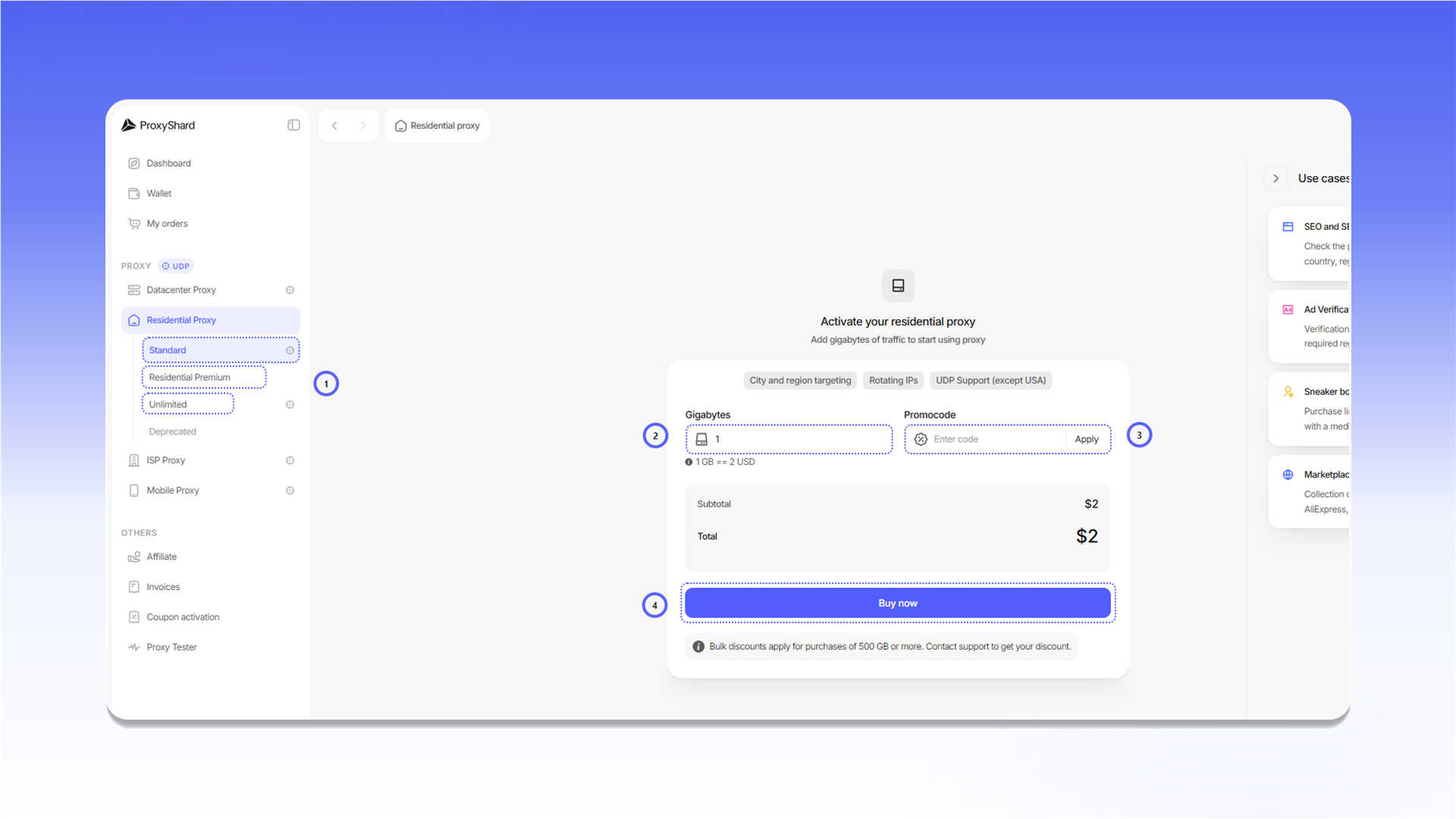
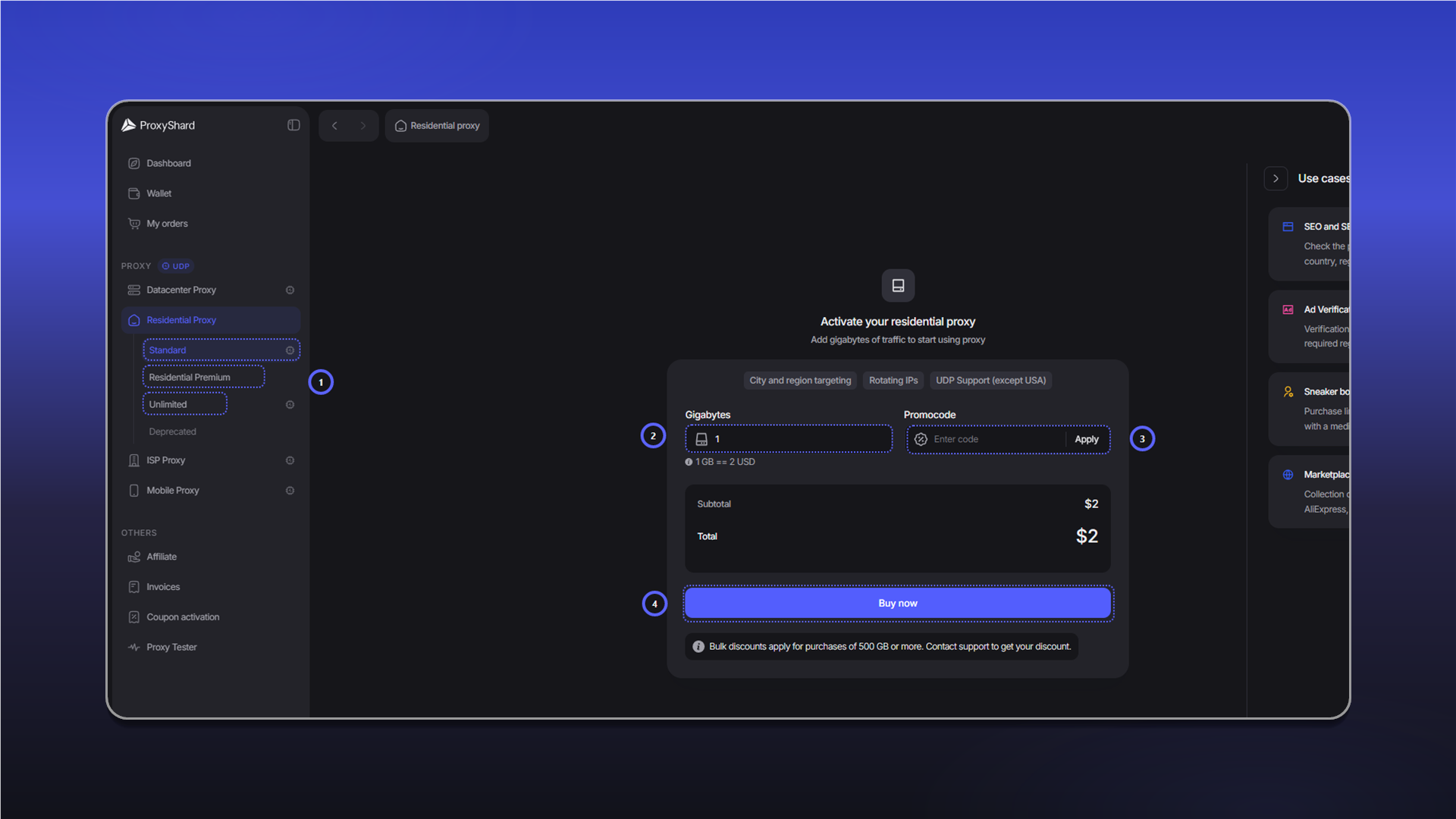
Оплата заказа и пополнение трафика описаны в инструкции Приобретение резидентских прокси.
Настройка прокси
Для обычного подключения достаточно выбрать Country и нажать Generate proxy. Остальные параметры нужны для более точного таргетинга и управления сессией.
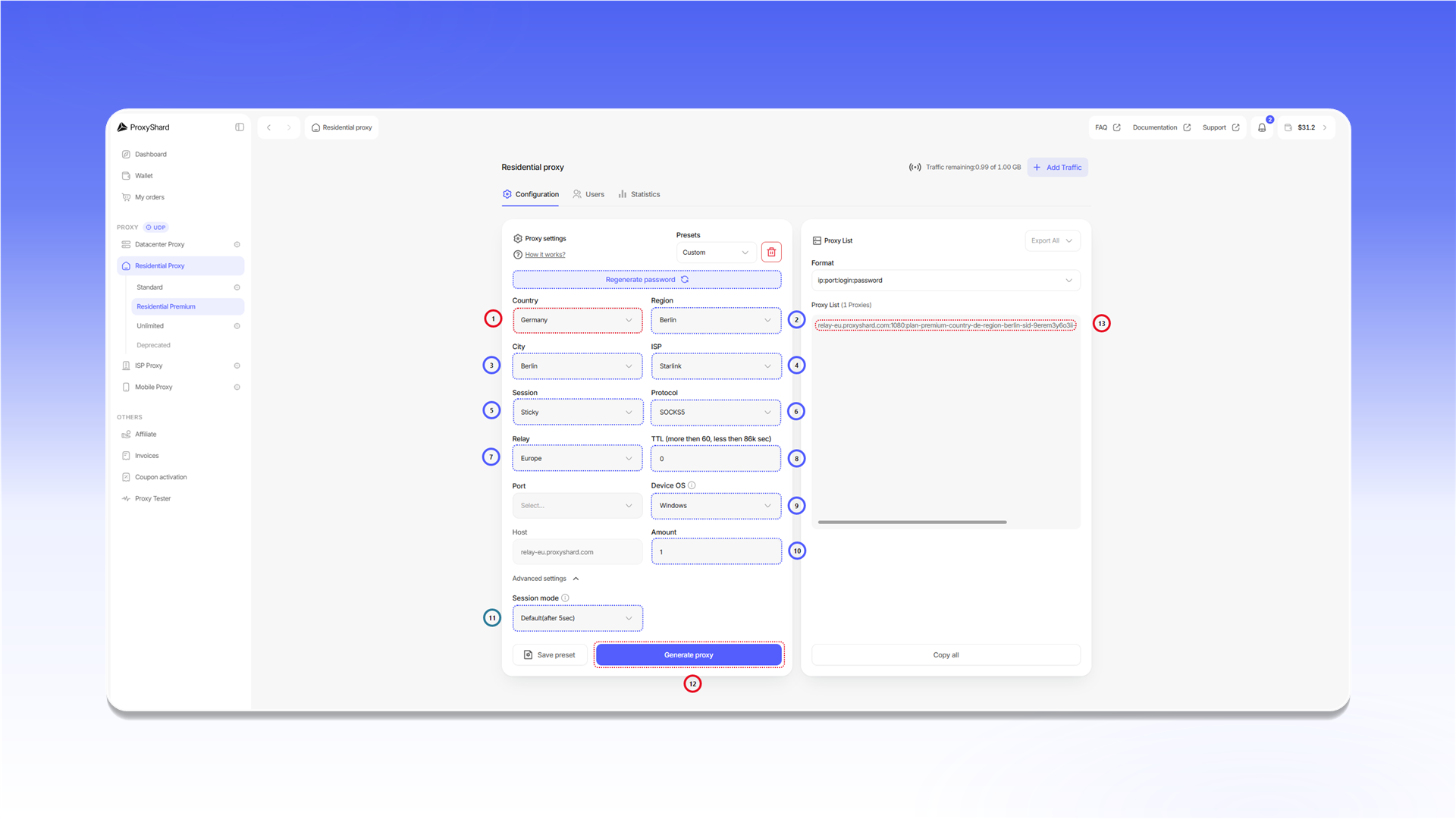
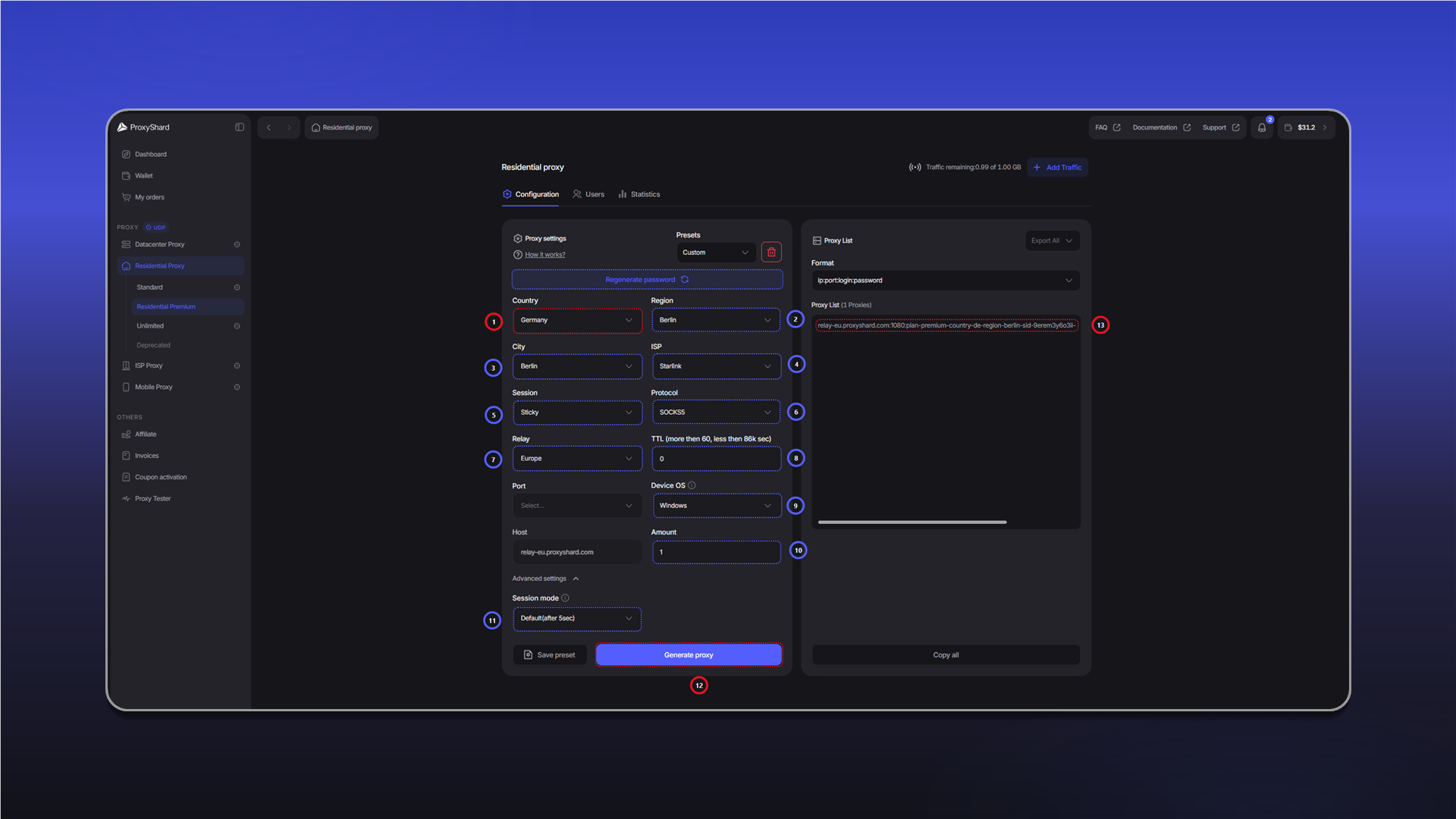
Countryвыбирает страну.Regionвыбирает регион внутри страны.Cityвыбирает город.ISPфильтрует адреса по провайдеру. Поле доступно только для Premium Residential.Sessionзадаёт режим ротации.Stickyудерживает один IP в пределахTTL, аRotateменяет IP при каждом запросе.ProtocolвыбираетHTTPилиSOCKS5.Relayменяет сервер подключения. Используйте его только при проблемах с соединением.TTLзадаёт время жизни IP для сессииSticky. Минимальное значение составляет 60 секунд.Device OSфильтрует пул Premium Residential по операционной системе устройства.Amountзадаёт количество строк, которые будут созданы за один раз.Session modeуправляет поведением сессии в Premium Residential.Default(after 5sec)переключает сессию, если устройство не отвечает более пяти секунд.Staticждёт возвращения того же устройства в течениеTTL.Generate proxyсоздаёт строки подключения с выбранными параметрами.Proxy Listпоказывает созданные строки. ЧерезFormatможно выбрать их формат, а черезCopy allскопировать весь список.
Presets сохраняет наборы настроек для повторного использования. Настройте поля, нажмите Save preset и выберите сохранённый набор при следующей генерации.
Одновременный выбор Device OS, города и провайдера сильно сокращает доступный пул. Для macOS и iOS в странах Tier 2 и Tier 3 подходящих устройств может не оказаться.
При использовании Session mode, отличного от стандартного, строка может перестать отвечать, если выбранное устройство вышло из сети. В таком случае создайте новую строку через Generate proxy.
Кнопка Regenerate password меняет пароль заказа и сразу отключает все ранее созданные строки. Используйте её, только если данные авторизации могли попасть к посторонним. Для контроля трафика отдельных пользователей используйте вкладку Users.
Proxy List является динамическим полем, а не хранилищем. При новой генерации старые строки продолжают работать, поскольку выбранные параметры записаны в Username. Для сохранения самих настроек используйте Presets.
Формат строки подключения
Стандартный формат выглядит так:
host:port:username:passwordhostуказывает сервер подключения, напримерrelay-eu.proxyshard.com.portвыбирается для подключения к серверу и сам по себе не определяет конечный IP.usernameсодержит параметры таргетинга и идентификатор сессииsid.passwordиспользуется для авторизации.
Готовую строку можно добавить в браузер, приложение или другой клиент. Пошаговые примеры собраны в инструкциях по настройке.
Статистика
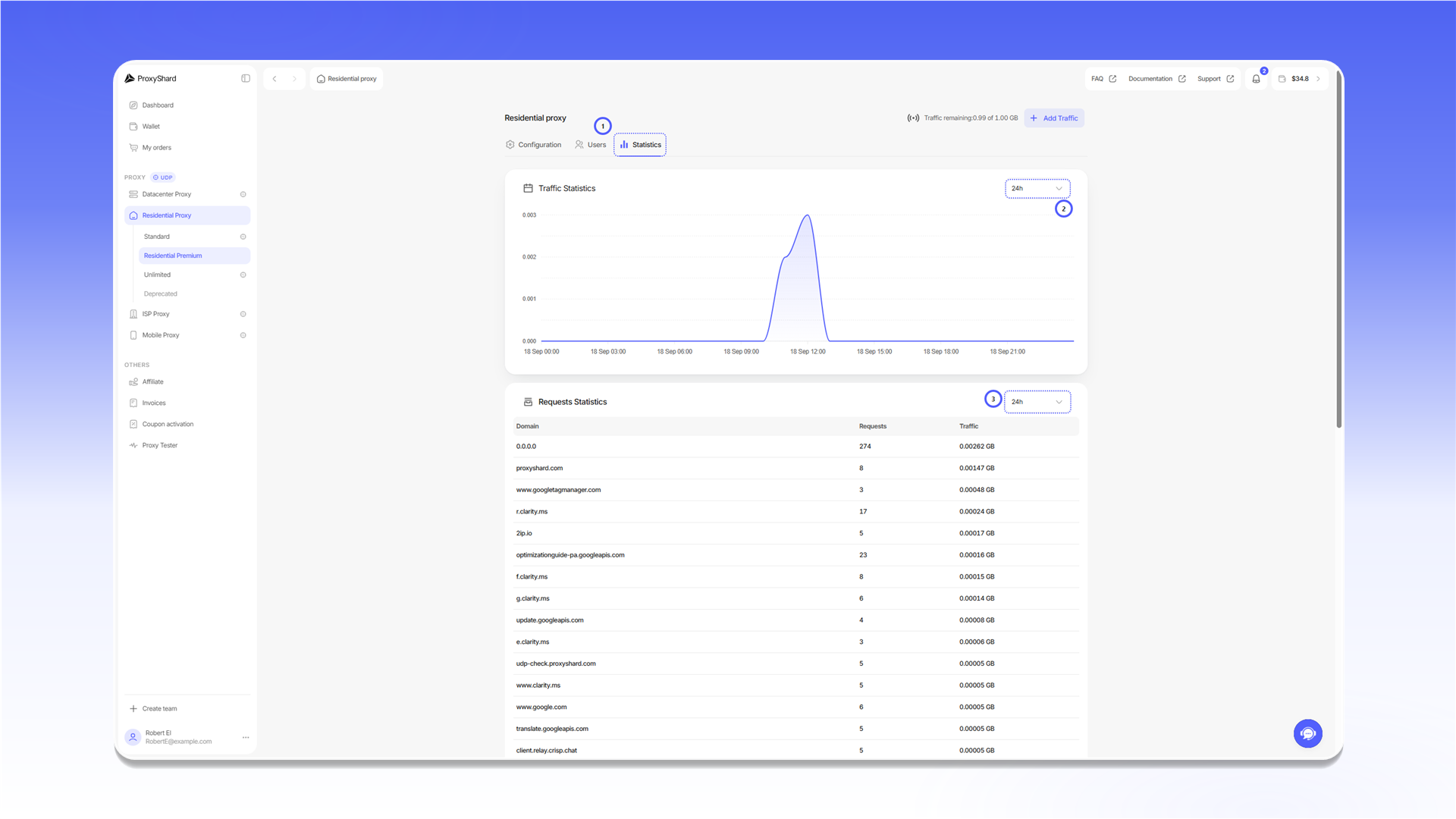
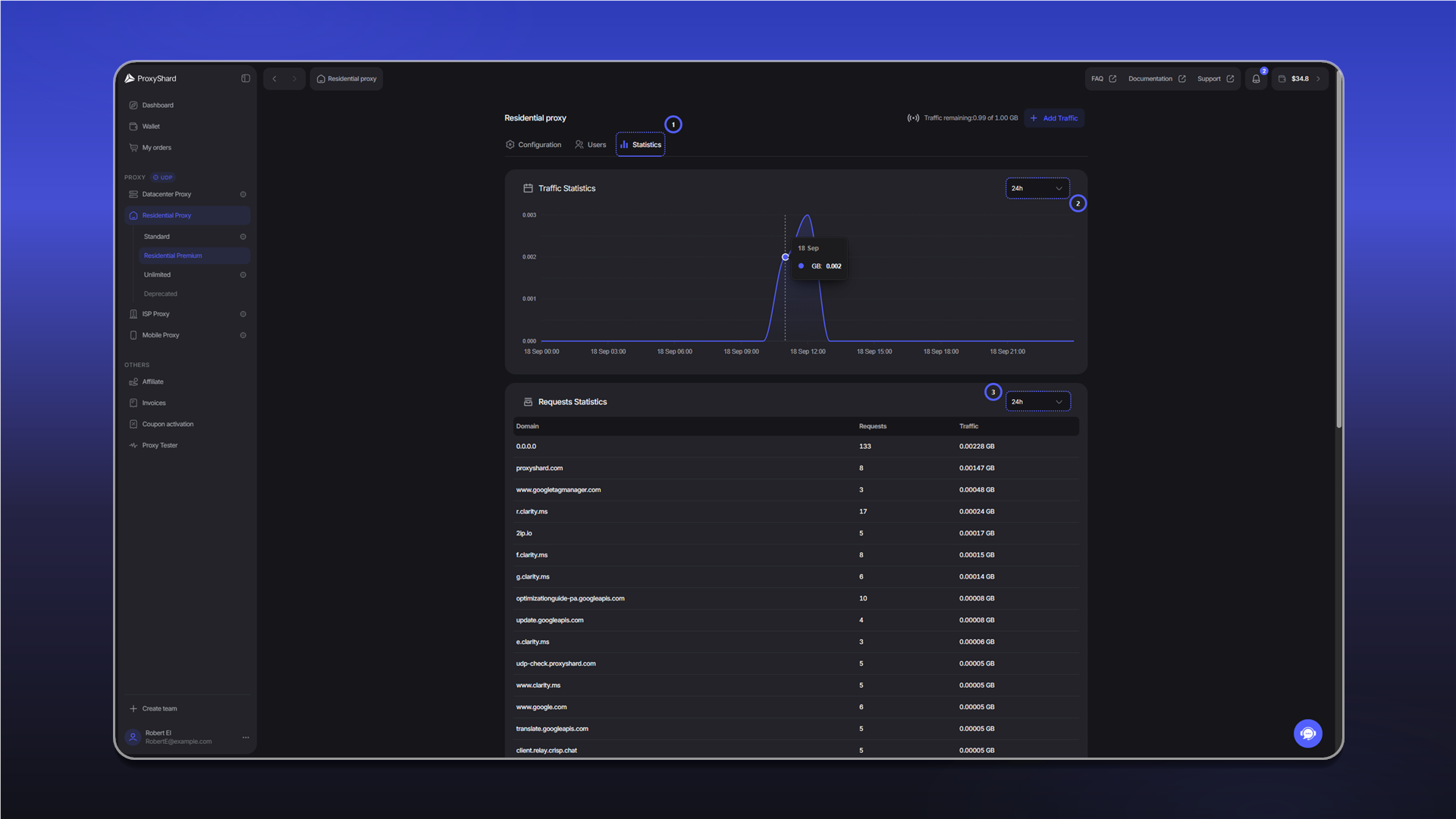
- Откройте вкладку
Statistics. - Выберите период для графика
Traffic Statistics. - Отдельно выберите период для таблицы
Requests Statistics.
Данные могут появляться с задержкой 10-20 минут. Статистика хранится один месяц.
Для каких задач подходит
Социальные сети и мультиаккаунтинг, криптобиржи (Binance, Bybit и другие), Polymarket, web scraping, SEO мониторинг, проверка рекламы (ad verification), e-commerce аналитика, мониторинг цен, геотаргетированное тестирование сайтов.
Плюсы и минусы Резидентских прокси
Плюсы:
- Гибкая тарификация - Pay as you go или безлимитная подписка (Unlimited)
- Смена IP - ротация адресов по требованию или по таймеру (TTL)
- Широкий геотаргетинг - выбор страны, региона, города и оператора
- Адреса домашнего происхождения - IP зарегистрированы на домашних провайдерах
- Поддержка UDP - доступна на Standard, Unlimited и Premium с учётом ограничений продукта
Минусы:
- Возможны просадки скорости - зависит от качества интернета на конечном устройстве, это специфика продукта
- Динамический IP - произвольная смена адреса возможна в любой момент; если нужен статический IP - смотрите ISP или Datacenter
- Подмена p0f недоступна - на Premium Residential доступна только фильтрация устройств по Device OS
- Ограничения UDP - Standard и Unlimited не поддерживают UDP в США, а на Premium есть исключения для отдельных городов и устройств macOS/iOS. Также действуют общие ограничения по портам
Нужен статический адрес с UDP? Выбирайте ISP прокси.
Примеры настройки прокси собраны в разделе Инструкция по использованию.
Обновлено