Telegram
Настройка прокси для Telegram
Настройка прокси для Desktop версии Telegram
Для настройки прокси в Telegram перейдите в Settings.
%20(1)%20(1).png?sha=cb6c75f85b184704710278acc7a11fadae43ee85)
Затем откройте "Расширенные" настройки
.png?sha=e7789e900f955c1d4c927ce30671326d17b6807b)
Выберите тип подключения "TCP"
%20(1).png?sha=1721aaa3760bf72d5184d4a081f2771ae4f6b8bb)
Далее укажите подключение к прокси
Выберите удобный для вас протокол подключения, по умолчанию это HTTP
С примером настройки прокси вы можете ознакомиться в разделе Инструкция по настройке
%20(1).png?sha=82daf7c63ce8d34e65d89a4323427d0b68ac3b55)
Затем проверьте подключение и сохраните
.png?sha=dc45b2d0e49c9fb4938171c69d25b4ab8cfe0fb4)
Готово! Теперь вы можете пользоваться Telegram с нашими прокси.
Настройка прокси для Mobile версии Telegram
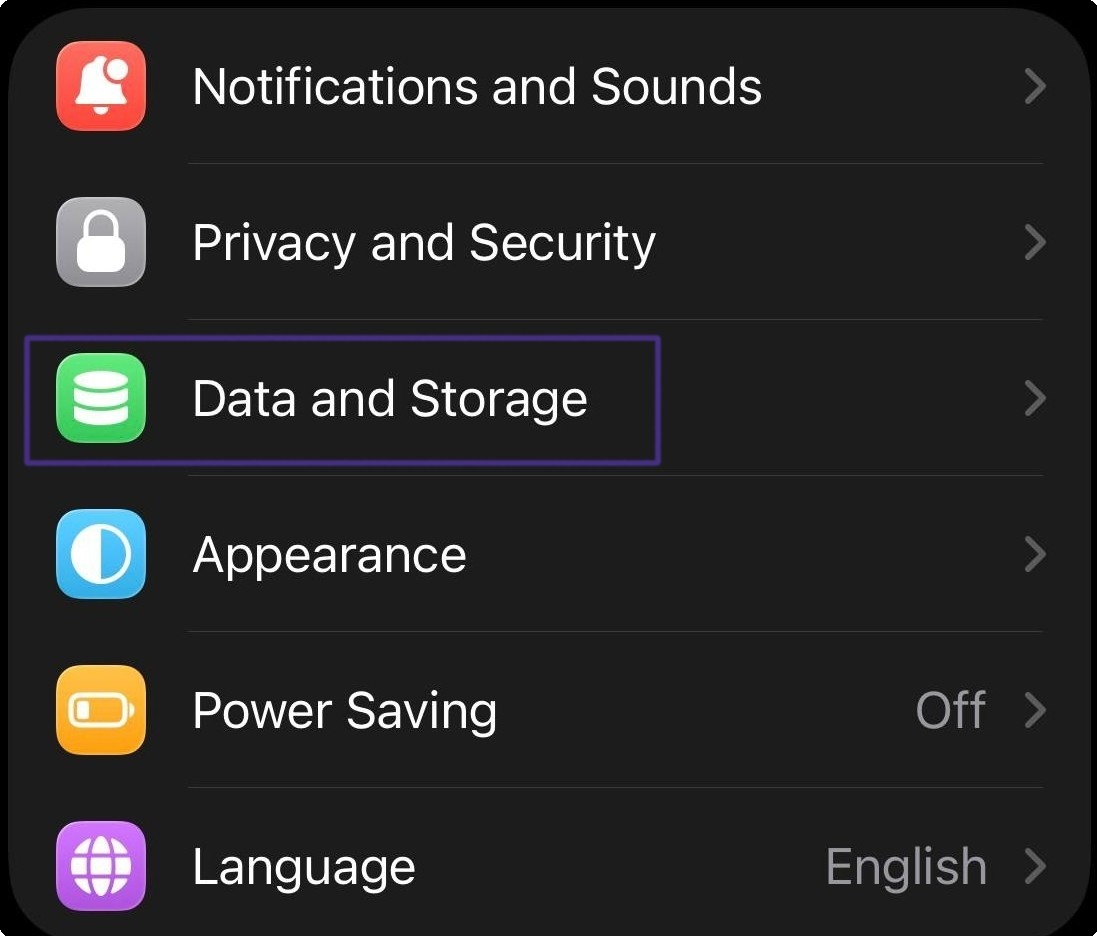
Для настройки прокси на телефоне, требуется открыть настройки и выбрать пункт "Data and Storage"
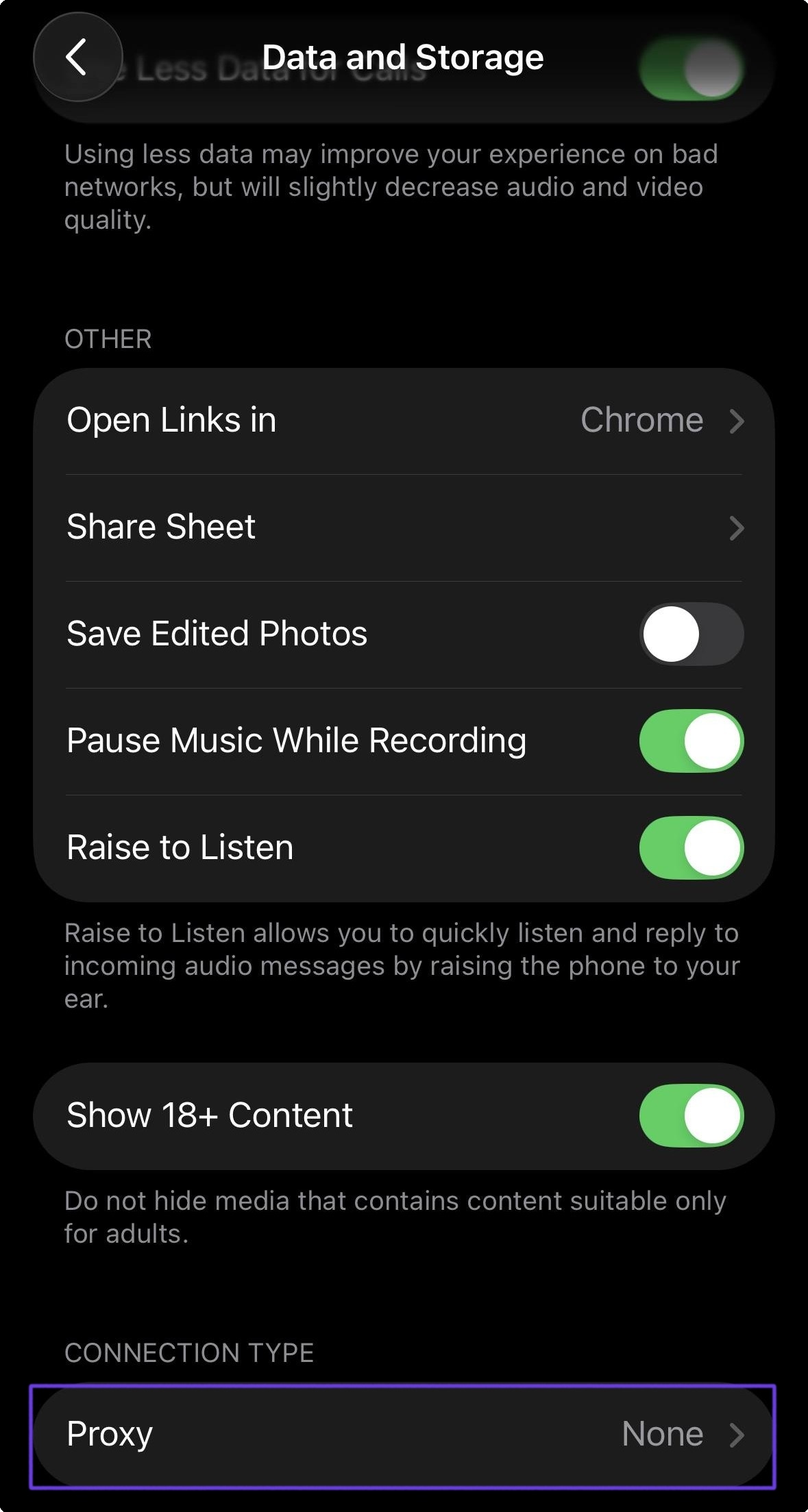
После выбрать пункт "Proxy"
Укажите протокол SOCKS5 и впишите данные для подключения к прокси
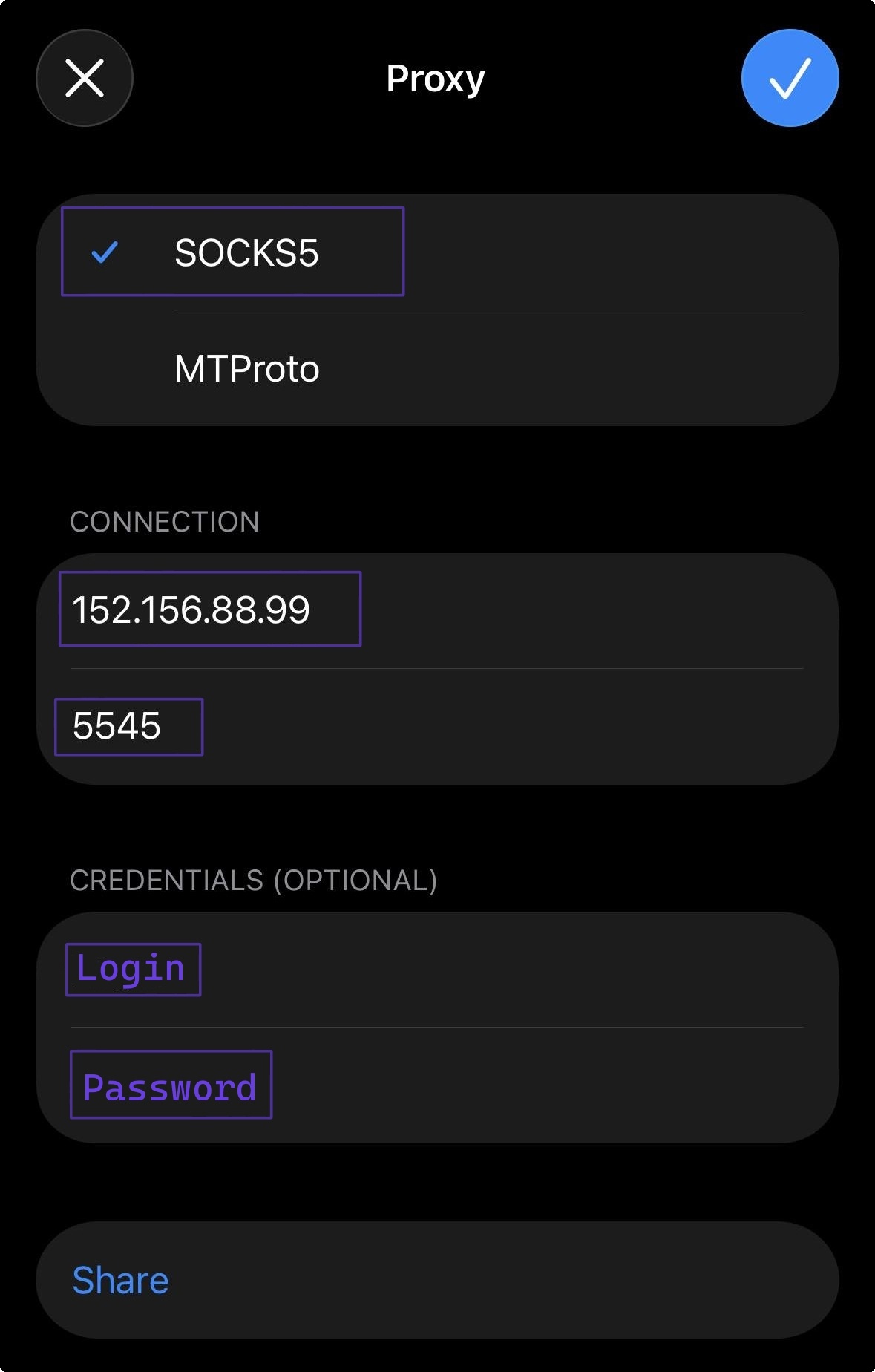
Обязательно сохраните настройку и дальше вы можете использовать прокси внутри Telegram.
Обновлено