Where to check for WebRTC leaks
You can test WebRTC with ProxyShard IP Checker or the third-party Ipbinding service. Start with our tool: it shows the external IP, the WebRTC address, and the UDP test result in one report.
1. ProxyShard IP Checker
proxyshard.comhttps://proxyshard.com/ip-checkerExpected result
With a correct setup, My IP address and WebRTC IP match. This means WebRTC is using the proxy address and UDP traffic is not bypassing the connection.
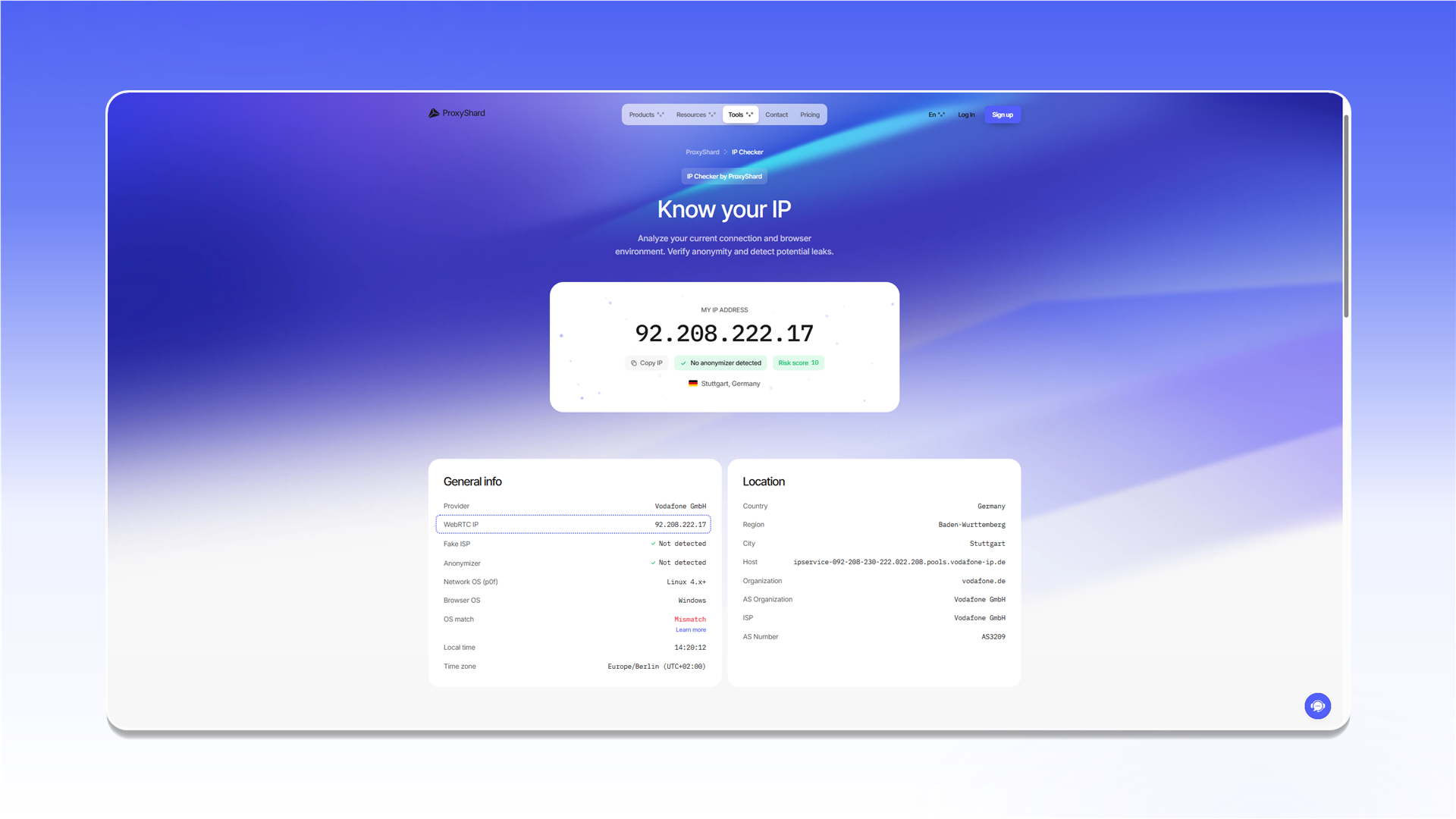
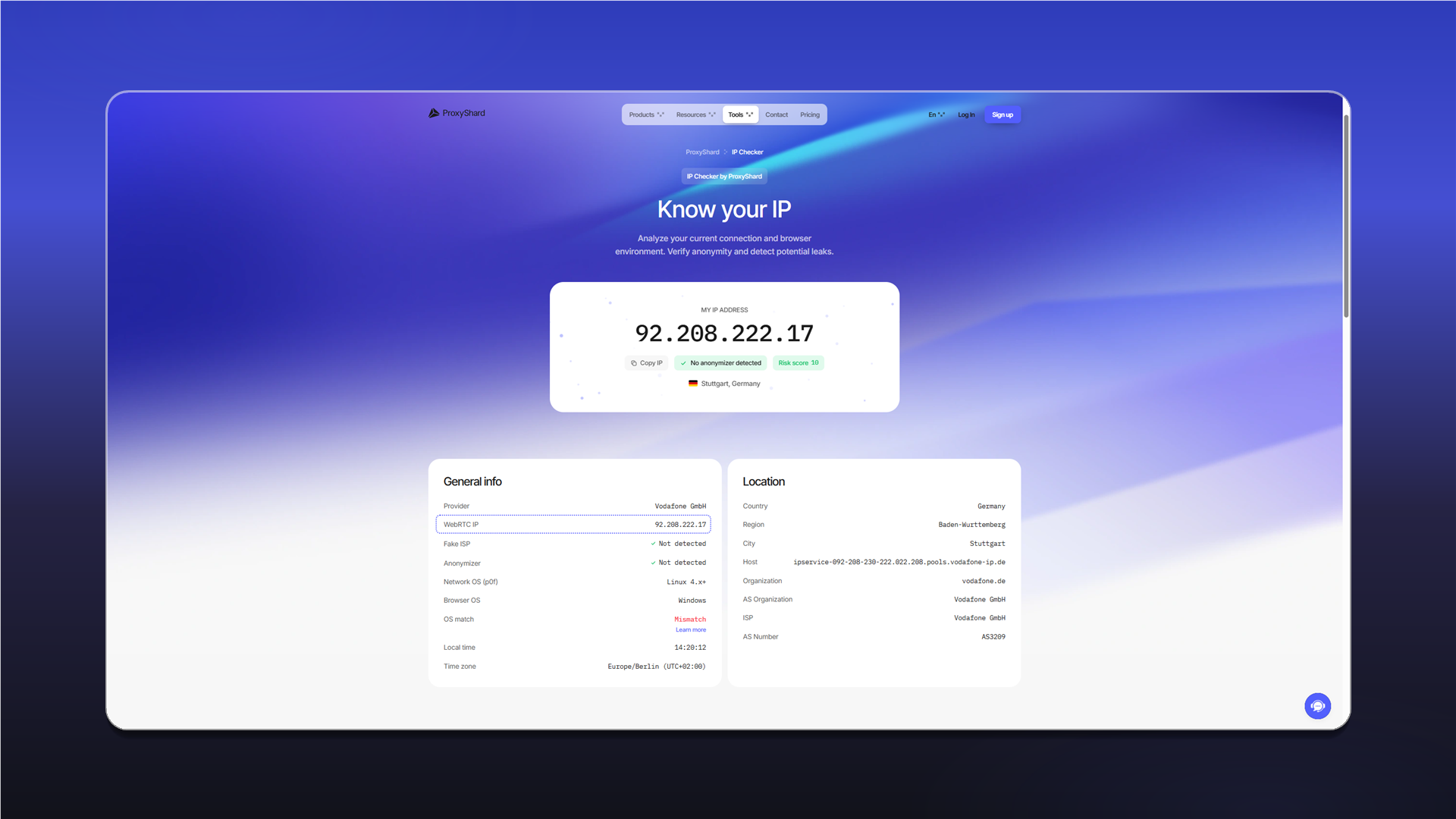
No UDP candidates
If WebRTC IP shows error and the WebRTC Check section reports No UDP candidates received, the browser did not receive any UDP candidates.
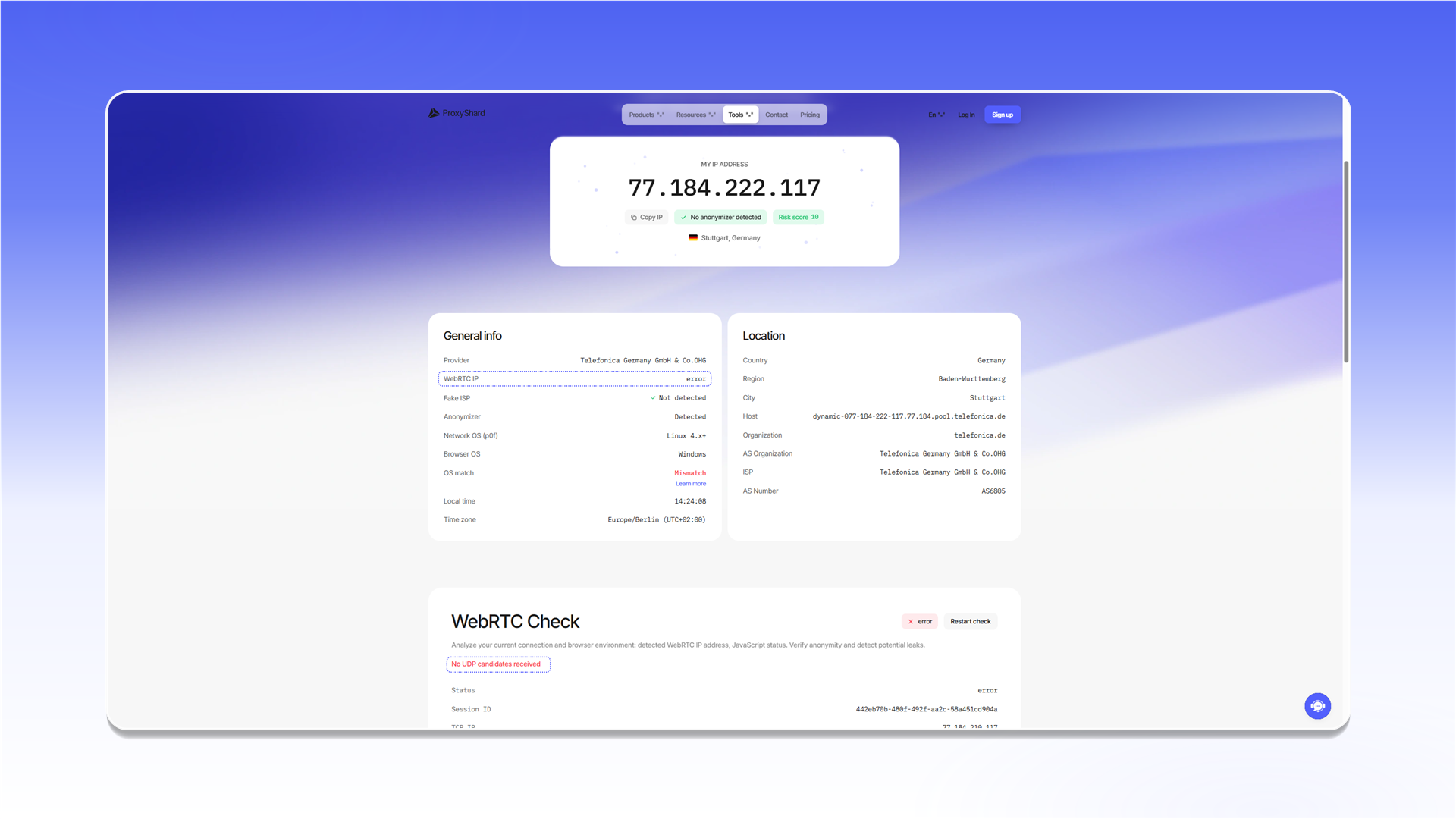
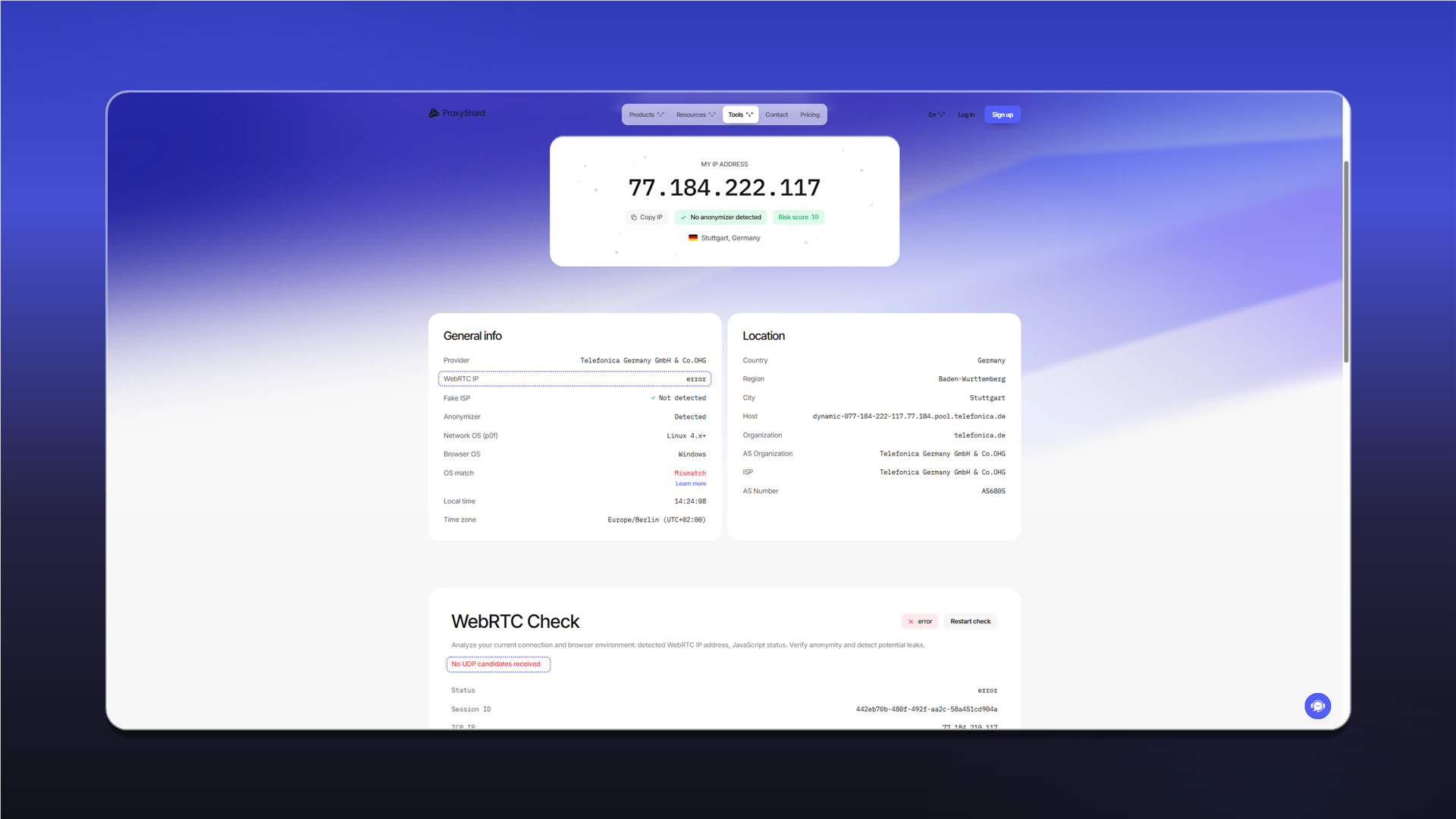
This result does not indicate an IP leak by itself. WebRTC may be blocked, or the selected product or application may not carry UDP. Check which products support UDP and use software that supports UDP ASSOCIATE.
If WebRTC IP shows an address different from My IP address, WebRTC is bypassing the proxy. This result indicates a leak.
For a description of every field, see IP Checker.
2. Ipbinding
Ipbinding also displays WebRTC candidates. Read the result the same way: the WebRTC address should match the proxy address.
ipbinding.onlinehttps://ipbinding.online/Last updated on